
NotebookLM for Academic Research
If your goal is improved understanding, Google's new tool is ready to help.

Google has released NotebookLM, an AI tool they advertise as “your personalized AI research assistant.” Bold statements aside, what’s promising is that NotebookLM is a RAG (Retrieval-Augmented Generation) system, meaning the AI model(s) in play are tethered to a source of information. This architectural design aims to reduce hallucinations by requiring the generative process to retrieve information from the source when possible.
As an academic researcher, my goal isn’t to automate the entire research process, it’s to facilitate the more mundane or repetitive tasks involved in that process, allowing me to focus on the innovation. In a previous post I’ve talked about OpenAI’s Study Mode for research, and NotebookLM seems to be Google’s corresponding student-oriented study tool. Recently I’ve written about how students can use NotebookLM to organize their semester, so now let’s test its limits as a research tool.
NotebookLM for Research - The Basics
First, the basics. Google for Education released a quick start guide to NotebookLM outlining the capabilities as well as providing examples of use cases for students, educators, and researchers.
The interface (screenshot below) enables uploading up to 50 source documents such as websites or files, in the left pane. The middle section allows for chat with those documents, where users can check/uncheck which sources are used to respond to the question.
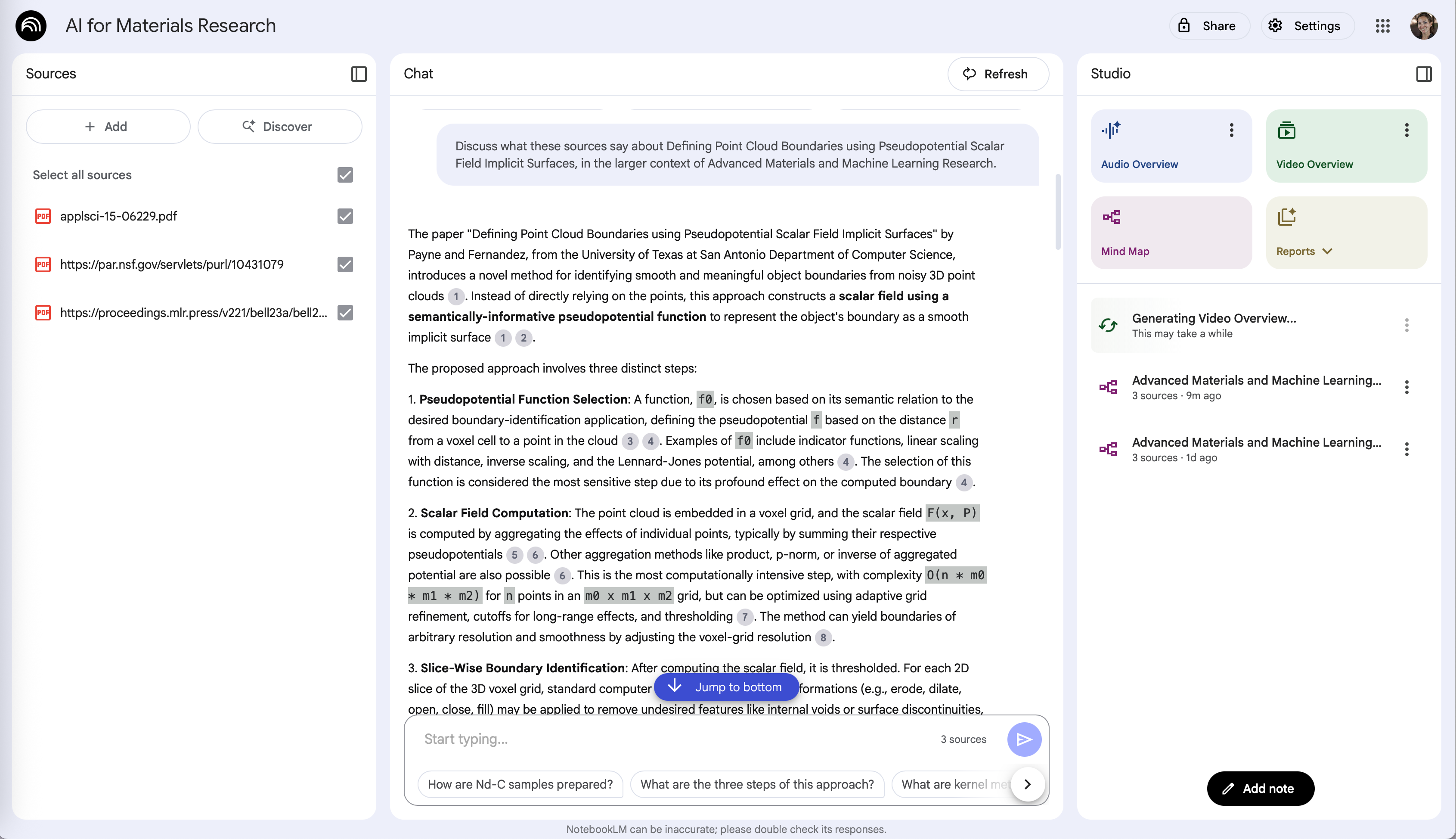
The top right corner holds the more advanced capabilities:
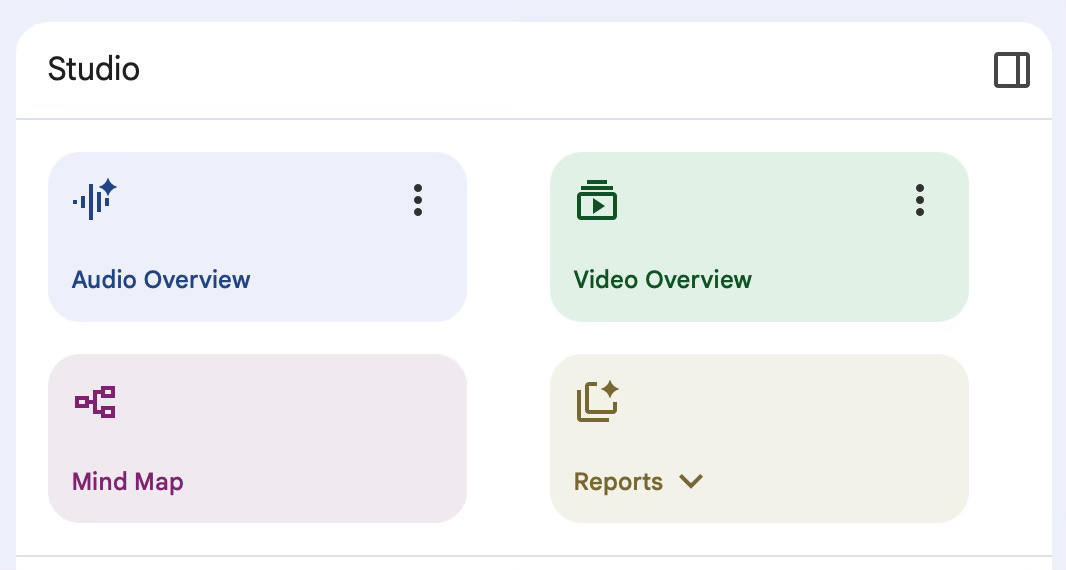
Audio Overviews: This feature turns your source documents into a podcast-like audio summary. The AI-generated "hosts" have a conversation about the key topics in your sources, allowing you to absorb the information while multitasking. You can also customize the overview to focus on specific topics or even engage in an interactive mode where you can verbally ask the AI hosts questions and they will respond based on your sources.
Video Overviews: A newer and highly visual feature, Video Overviews create narrated slideshow-style videos from your sources. The AI host narrates a summary, and the slides automatically pull in relevant images, diagrams, quotes, and data from your documents to illustrate key points. This is particularly useful for visual learners or for creating presentations and explainer videos.
Mind Maps: You can generate a visual mind map that shows the connections and relationships between different concepts in your documents. I had hoped this would be a powerful tool for brainstorming, especially when dealing with a lot of scattered information, but have found it to create very basic flow charts thus far - handy, but not a timesaver yet.
Reports: NotebookLM can automatically create various types of reports based on your sources, such as:
Study Guides: A structured outline of the most important concepts, questions, and key terms for a topic.
Briefing Documents: A concise, professional summary of a topic, perfect for business or research use.
FAQs: A list of frequently asked questions and their answers, all sourced from your documents.
Timelines: A chronological list of events, useful for historical or project-based research.
If you’re just getting started with NotebookLM, here are some of the more compelling uses for researchers:
Document Summarization and Q&A: The most basic yet valuable function is its ability to summarize large volumes of text from PDFs, Google Docs, or web pages. Just upload research papers, textbook chapters, or technical documentation and then ask NotebookLM to explain complex concepts, define jargon, or summarize key findings.
Creating Study Guides: NotebookLM can automatically generate structured outputs like FAQs, timelines, or study guides based on the sources you provide. This is especially useful for preparing for exams or consolidating information from multiple sources.
Multimodal Analysis: NotebookLM accepts a mix of source types, including text, public YouTube videos (which are transcribed), and audio files. It can then synthesize information across these different formats. For example, upload a paper on machine learning and a video lecture on the same topic and ask NotebookLM to compare and contrast the different explanations.
Drafting and Outlining: NotebookLM can assist with the writing process by generating outlines for papers or presentations. After gathering and uploading sources, prompt NotebookLM to create an outline for a research paper on a provided topic. The result is a solid foundation to build upon (assuming of course the quality of sources provided).
Hits and Misses
These identified use cases for NotebookLM are powerful, but were not immediately useful to me in the more advanced research tasks.
I decided to dive a little deeper and challenge the AI with one of the most demanding and recurring tasks on my plate: keeping up with new papers in my field. Here are two immediate needs I identified and an evaluation of NotebookLM’s capabilities:
Sorting through the 2,500+ accepted papers for the upcoming ICCV 2025.
What: With each AI conference comes a deluge of new papers. Prior to tools like Scholar-Inbox (amazing, check them out), we would be sifting through keywords, titles, and abstracts or visualizers to discover papers of relevance to our research. We will of course continue to do this, as there are invaluable discoveries in this investigation, however I’ll admit some curiosity in how well an AI can augment or streamline the process..
How: In a new notebook, I linked the ICCV website listing all accepted papers, and asked about the distribution - “how many papers are there?”, “what were the most/least popular topics?”, “list all papers on the topic of XYZ.”
Results: A decent summary of the most popular topics (at least according to the paper titles) was provided, and critically links to the exact paper titles within the source were included within the discussion. Unfortunately no matter how I phrased the last question, it was unable to speak to the collection of papers on a given topic - providing instead a system error. I attribute this to the context length - more than 2.5k paper titles and authors, without explicit keywords to assist in matching or categorizing a [presumably] previously unseen source. This was also one use case I’d imagined for generating the “Mind Map” - taking the concept of the paper visualizations in recent AI conferences and customizing them to a user-provided topic. Again, it was unable to generate a MindMap given the paper listing in any form - website URL or PDF print view. 2/10.
Listening to research papers.
What: Reading papers is obviously a critical task, however my commute is long and boring. The ability to listen to a research paper is enticing as an extension to reading it before/after. Even better: listening and interacting - the ability to ask questions of the AI podcasters is a unique feature I haven’t found in another app.
How: NotebookLM makes this easy via a button on the right side - after uploading PDF copies of the documents, I clicked “Audio Overview”. (And then made myself some coffee because boy did it take a while.) To be fair, I also generated the video overview and 48hrs later it is still spinning, so at least the audio processing made good on its promise of “in a few minutes”.
Results: The generated podcast is seriously cool. Having read through the papers already, I had an idea of the topics and was beginning to consider how to connect them for future research. Listening to a discussion on the exact papers was timely and thought-provoking, particularly on a long drive home. Unfortunately the “interaction” with the podcast did not work - the notebook could only handle playback of the audio and otherwise froze. Still gets a 10/10.
Where it Shines: Interdisciplinary Topics
While not all of NotebookLM’s features were well-demonstrated, the tool as a whole has clear implications for my research going forward. Specifically in interdisciplinary topics.
Some of the difficulty in collaborating outside of my field is just logistics - sharing relevant data, outlining research capabilities, identifying overlaps in research goals, and formalizing definitions of key terms, as defined by each field. NotebookLM exceeds at this - it’s really just pattern matching, right?
Here are a few of my favorite things:
Standardized Terminology = better communication within the team and more progress forward. The ability to drop in documents from disparate fields and discuss a similar topic, despite differences in the naming conventions? Miraculously time saving. It’s not that I don’t know the difference between a “sample” for my ML model and the “sample” from a materials lab, it’s that often the LLM summaries indicate that there are 8 “samples” and you’re left to interpret which paper it derived this from and whether that’s a training sample or a piece of metal.
Shared Workspace. It’s basically a shared Google doc with AI inside, which is the best case scenario for asynchronous research discussions. Collaborators can tweak and continue with prompts others have started, add new sources, and generate new Studio artifacts.
Final Thoughts…
NotebookLM has some compelling features for research. I see the most potential in connecting researchers and facilitating interdisciplinary discussions, particularly when the topics increase in complexity.
New researchers should leverage it to learn - improve your understanding of a field and its established concepts. Established researchers may regard it as a souped-up Google Doc for now - great for sharing notes and ideas. And like all AI tools, what you get out is only as good as what you put in.
Amazing breakdown
I love the video overview feature 🔥
No thanks. I like partners who can breathe, who have a heart and soul, and a curious mind. Not a tool developed by authoritarian-loving tech barons who do not speak up while research, education, libraries, and museums are destroyed!